Laptop Bag vs. Sleeve: Which Fits Your Daily Routine?

At a glance: coverage versus carrying capacity
A laptop sleeve is a compact layer designed to hold one computer, while a laptop bag is made to carry the computer along with other everyday items. The right choice depends on whether you want a close-fitting cover for your device or a dedicated way to organize and transport your work essentials.
What does a laptop sleeve do?
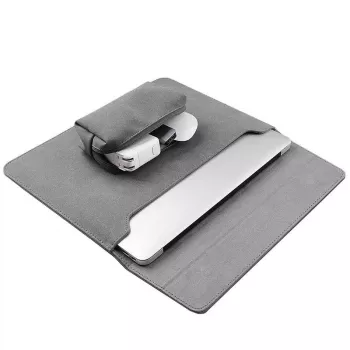
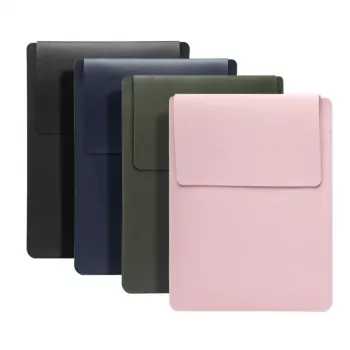
A sleeve is a slim, usually padded case that surrounds your laptop. It typically has a simple opening, such as a zipper or flap, and little or no room for a charger, notebook, or other gear. Its main advantages are low bulk and easy storage inside a backpack, tote, or suitcase.
Choose a sleeve when you already have a bag you like, carry few accessories, or want a separate protective layer for storage and short trips. Padding can help guard against everyday scuffs and minor bumps, but a sleeve is not a substitute for careful handling or a hard protective case when you need impact protection.
What does a laptop bag offer?
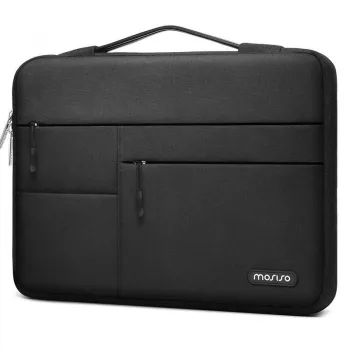
A laptop bag has a dedicated laptop area plus space for belongings such as a power adapter, documents, and personal items. Depending on its design, it may have handles, a shoulder strap, multiple compartments, or pockets for organizing smaller accessories. It gives you a single carry option when you’re heading to work, class, or a meeting.
The extra capacity is useful, but it usually means more bulk than a sleeve. A bag can also help keep accessories together; it does not automatically offer better laptop protection. Look for a padded, secured laptop compartment and a layout that keeps hard or heavy items from pressing against your computer.
How do you choose between them?
Think about what you carry and how you travel. If you mainly need a lightweight cover and will place your laptop in another bag, a sleeve may be enough. If you want to carry your computer, charger, and daily essentials together, a laptop bag is more convenient. You can also use a sleeve inside a larger bag for an added layer between your laptop and other items.
Fit matters for either option. Compare your laptop’s dimensions with the product’s interior dimensions, and account for any protective case you keep on the device. The laptop should fit securely without being forced in or left loose enough to slide around.
Where can you find more laptop-carrying guidance?
For additional help choosing everyday protection, read our guide to MacBook and laptop sleeves and bags. Our team recommends matching the format to your routine first, then checking fit and organization before you buy.
FAQ
What should you carry in a laptop bag?
Carry the items you use regularly, such as your charger, documents, and a notebook. Keep heavier accessories in a separate compartment so they don’t press directly against your laptop.













Leave a comment