MacBook Laptop Sleeve Bag: Slim Daily Protection
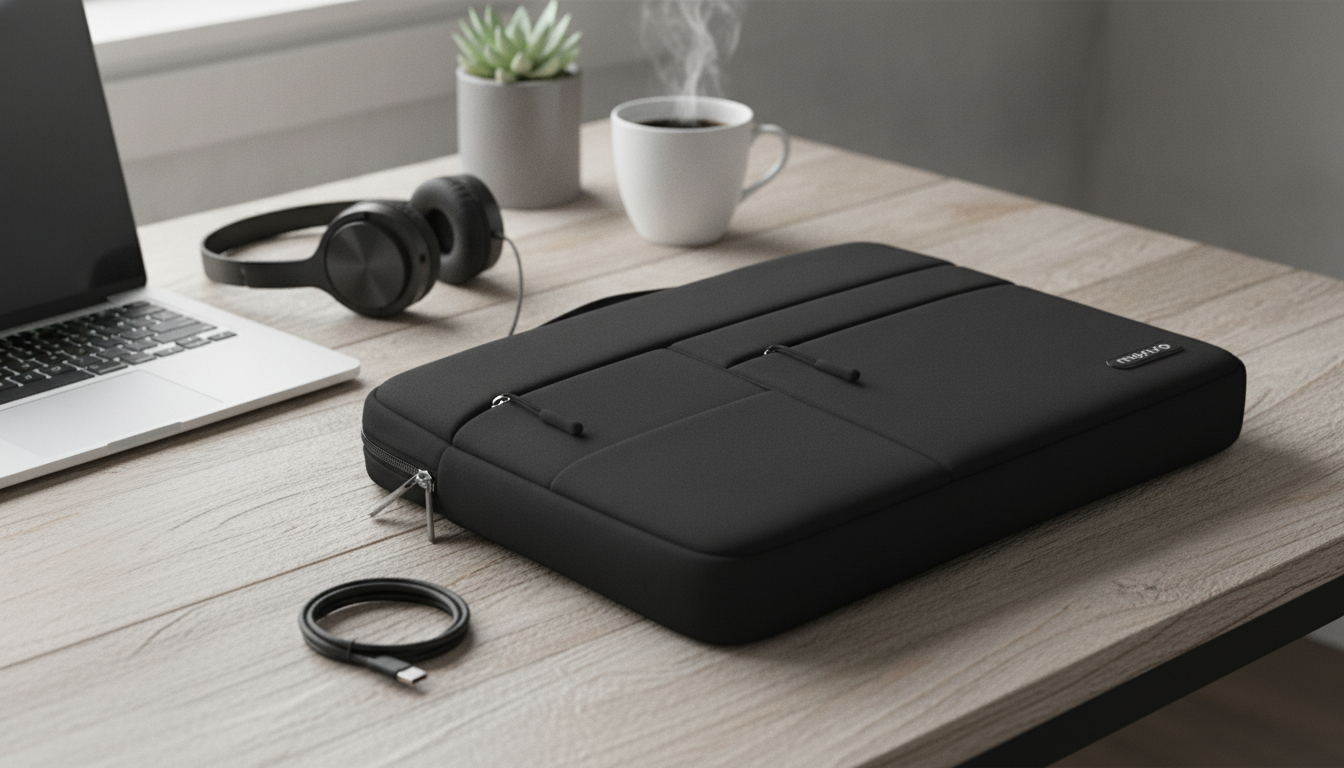
Laptop Sleeve Bag for MacBook: Slim Protection for Daily Carry
A MacBook sleeve bag should protect against scuffs and light impacts while staying easy to carry between meetings, classes, and coffee shops. The goal is simple: keep your laptop looking new without turning your everyday setup into something bulky or fussy. Below is a practical breakdown of what to look for in a sleeve bag, how to choose the right size, and how an in-stock option can fit into a clean, commuter-friendly routine.
What a Sleeve Bag Should Do (Beyond Looking Good)
A sleeve bag earns its spot when it quietly handles the everyday hazards that show up on commutes and quick trips.
- Protect the MacBook body from scratches, corner dings, and zipper rub during everyday transport.
- Add light cushioning without turning a thin laptop into a bulky carry.
- Keep essentials together—charging cable, compact adapter, phone, or a small notebook (when the design includes pockets).
- Make transitions easy—slide in and out of a backpack or tote, or carry under your arm without snagging.
Laptop Sleeve Bag for MacBook: At-a-Glance
If you prefer minimal carry days (laptop plus a few small accessories), a sleeve-style bag keeps things streamlined while adding a protective layer you can use on its own or inside another bag.
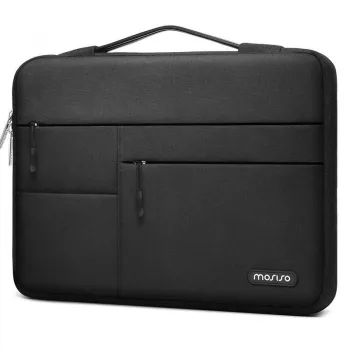
- Designed as a protective sleeve-style bag for MacBook carry.
- Works well for minimal carry days: laptop + a few small accessories.
- A practical add-on for backpack users who want extra scratch protection and easier grab-and-go handling.
- Current price and availability can be confirmed on the product page.
Laptop Sleeve Bag for MacBook is currently listed as in stock, making it an easy pick when you want something simple, protective, and commuter-ready.
Quick checklist for choosing a MacBook sleeve bag
| What to check | Why it matters | How to verify before ordering |
|---|---|---|
| MacBook model and size | A close fit reduces shifting and corner impact risk | Match your MacBook’s screen size and check device dimensions (not just the name) |
| Internal clearance | Cases/keyboard covers add thickness | If using a hard shell, choose a sleeve with a little extra room |
| Padding and lining | Reduces scuffs and minor bumps | Look for a soft interior and structured edges |
| Closure type | Prevents slip-out during carry | Prefer a smooth zipper or secure flap; avoid rough zippers that can contact the laptop |
| Pocket layout | Keeps chargers from pressing into the laptop | Choose separated pockets so hard items don’t sit against the device |
Fit and Size: Getting the Right MacBook Sleeve
Fit is the difference between “protected” and “annoying.” A sleeve that’s too tight turns every removal into a tug-of-war; too loose lets the laptop slide, which is where corner dents happen.
- Measure the MacBook by its physical dimensions; model names can be misleading across generations.
- Aim for a snug fit that still allows a smooth slide in/out; overly tight sleeves stress seams and zippers.
- If using a protective hard shell case, factor in extra thickness so the zipper doesn’t rub the aluminum edges.
- For backpack users, confirm the sleeve doesn’t exceed the backpack’s laptop compartment dimensions.
To confirm your exact model before buying any sleeve, Apple’s guide can help: Apple Support – Identify your MacBook model. For precise dimensions, check Apple’s official specifications: MacBook Pro technical specifications.
Materials and Protection: What Matters Day to Day
Daily protection is less about surviving a major drop and more about preventing the slow damage—abrasion, grit, and repetitive bumps.
- Soft inner lining helps prevent micro-scratches from dust and grit that collect during commutes.
- Moderate padding is ideal for daily carry—enough to absorb minor bumps without creating bulk.
- Edge structure and corner reinforcement matter because corners take most impact when a bag is set down.
- A smooth, well-finished zipper track or covered zipper area reduces the chance of metal contacting the laptop.
Carry Style: Sleeve-Only, Backpack Insert, or Hand-Carry
The same sleeve bag can play three roles; choosing the right one depends on where you’re headed and how much you’re carrying.
- Sleeve-only carry works best for short trips and controlled environments (office, classroom, coworking).
- As a backpack insert, a sleeve bag adds a second layer of protection and helps prevent scratches from internal bag hardware.
- Hand-carry convenience improves when the sleeve has a bag-like profile and a secure closure.
- For travel days, prioritize quick access: a sleeve that slides out easily at security checkpoints reduces fumbling and drops.
Everyday Organization Without Overpacking
The biggest mistake with a slim sleeve is packing it like a tech pouch. Keep it light so pressure doesn’t transfer into the laptop chassis or display.
- Keep hard accessories (chargers, hubs) in a separate pocket so they don’t press into the MacBook screen.
- Use a short cable or cable tie to prevent knots that create pressure points inside the bag.
- If carrying a mouse, place it away from the laptop’s center area to avoid concentrated pressure when the bag is squeezed.
- For a minimal setup, stick to: charger + USB-C cable + small dongle + slim notebook.
Care Tips to Keep a Sleeve Bag Looking New
Pairing With Other Apple Accessories
FAQ
What is the best MacBook Pro sleeve?
The best option is the one that fits your exact model dimensions with a soft lining, light padding, and a closure that won’t scratch the device. Prioritize corner protection and allow extra room if you use a hard shell case.
Should a MacBook sleeve be tight or loose?
Snug is ideal: the laptop shouldn’t slide around, but it should insert and remove smoothly without forcing the zipper or stretching seams. If your MacBook has a case, leave a little extra space to avoid zipper rub and pressure on the edges.













Leave a comment