Laptop Sleeve Size: Measure for the Right Fit
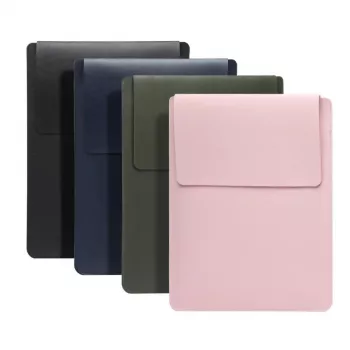
How big should my laptop sleeve be?
Answer
Your laptop sleeve should match your laptop’s actual dimensions (width, depth, and thickness), not just the advertised screen size. “13-inch” and “15.6-inch” describe the diagonal screen measurement, but two laptops with the same screen size can have different body sizes—and sleeves are built around the outside measurements.
Measure first, then choose the closest fit
Use a tape measure (or a ruler) to measure your laptop’s width (left to right), depth (front to back), and thickness (closed). Compare those numbers to the sleeve’s internal dimensions (sometimes called “device compartment” dimensions). A good target is a sleeve that’s slightly larger than your laptop—typically about 0.2–0.6 inches (5–15 mm) of breathing room in width and depth—so the device slides in smoothly without excess movement.
Don’t ignore thickness (especially with rugged or gaming laptops)
Many sleeves are designed for slim ultrabooks. If your laptop has a thicker chassis, raised rubber feet, or a bulky hinge area, sizing up may be necessary even if the width and depth look right. A sleeve that’s too tight can strain the zipper, compress corners, and make quick access frustrating.
Consider what else you’ll carry
If you plan to store a charger, mouse, or dongles in the same sleeve, look for a model with an accessory pocket or a bit more structure. If you want the sleeve to fit inside a backpack or tote, verify the sleeve’s external dimensions too—padding can add noticeable bulk.
For a quick walkthrough on choosing between common sizes (like 13–16 inch options) and what to look for in fit, padding, and everyday use, see the full guide here: https://grandofferhall.shop/guide-choose-right-13-16-inch-laptop-tablet-sleeve-bag/.
FAQ
Is it better to size up or size down for a laptop sleeve?
Size down only if the sleeve’s internal dimensions still comfortably exceed your laptop’s measurements. When in doubt, a small size up is safer than a tight sleeve, as long as the laptop doesn’t slide around inside.













Leave a comment