MacBook Air Bag Size Guide: 13 vs 15 Inch Fit

How big does a bag need to be to fit a MacBook Air?
To fit a MacBook Air comfortably, the bag’s dedicated laptop compartment should be slightly larger than the laptop’s physical dimensions, with enough padding so the zipper and seams never press directly on the corners. As a practical rule, look for an internal laptop sleeve that’s at least 0.5–1 inch bigger in width and height than your MacBook Air, plus a little depth for a slim case or sleeve if you use one.
Typical MacBook Air sizes to plan around
Most shoppers are choosing between the 13-inch MacBook Air and the 15-inch MacBook Air. A 13-inch model usually needs a sleeve that’s roughly in the 12 x 9 inch range (or slightly larger), while the 15-inch model generally fits best in compartments closer to the 14 x 10 inch range. Because different bag brands measure “fits up to 13-inch/15-inch” differently, the safest approach is to compare the bag’s internal compartment measurements to your exact laptop model.
What “fits” vs. “fits well” looks like
A bag technically “fits” if the laptop slides in without forcing the zipper. A bag “fits well” when there’s a padded false bottom (so the laptop doesn’t hit the ground when you set the bag down), side padding to protect edges, and enough room to insert and remove the device smoothly—especially when the bag is full.
Extra room you may need
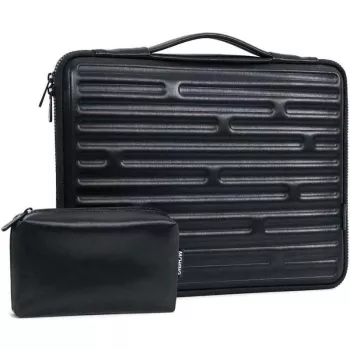
If you carry a charger, mouse, or a rigid laptop shell, avoid ultra-snug sleeves. You’ll want a little extra space so accessories don’t press into the laptop through the divider. For commuters, a bag labeled for 15–16 inch laptops is often the most forgiving choice for the 15-inch MacBook Air, while a well-sized 13–14 inch compartment is ideal for the 13-inch Air.
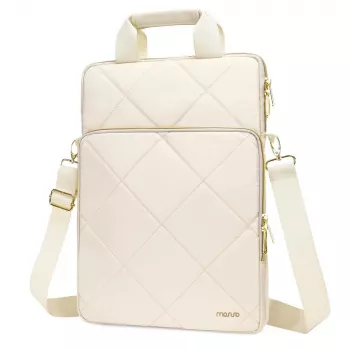
For a deeper breakdown of fit, comfort, and what to look for in real-world carry, see the guide here: vertical shoulder bag fit and comfort guide.
FAQ
Will a 16-inch laptop bag be too big for a 13-inch MacBook Air?
It can work, but expect more movement unless the bag has an adjustable or snug laptop sleeve. If the compartment is loose, use a padded sleeve to prevent sliding and corner impacts.













Leave a comment