Slim Shockproof iPad Sleeve for Mini, Air & Pro
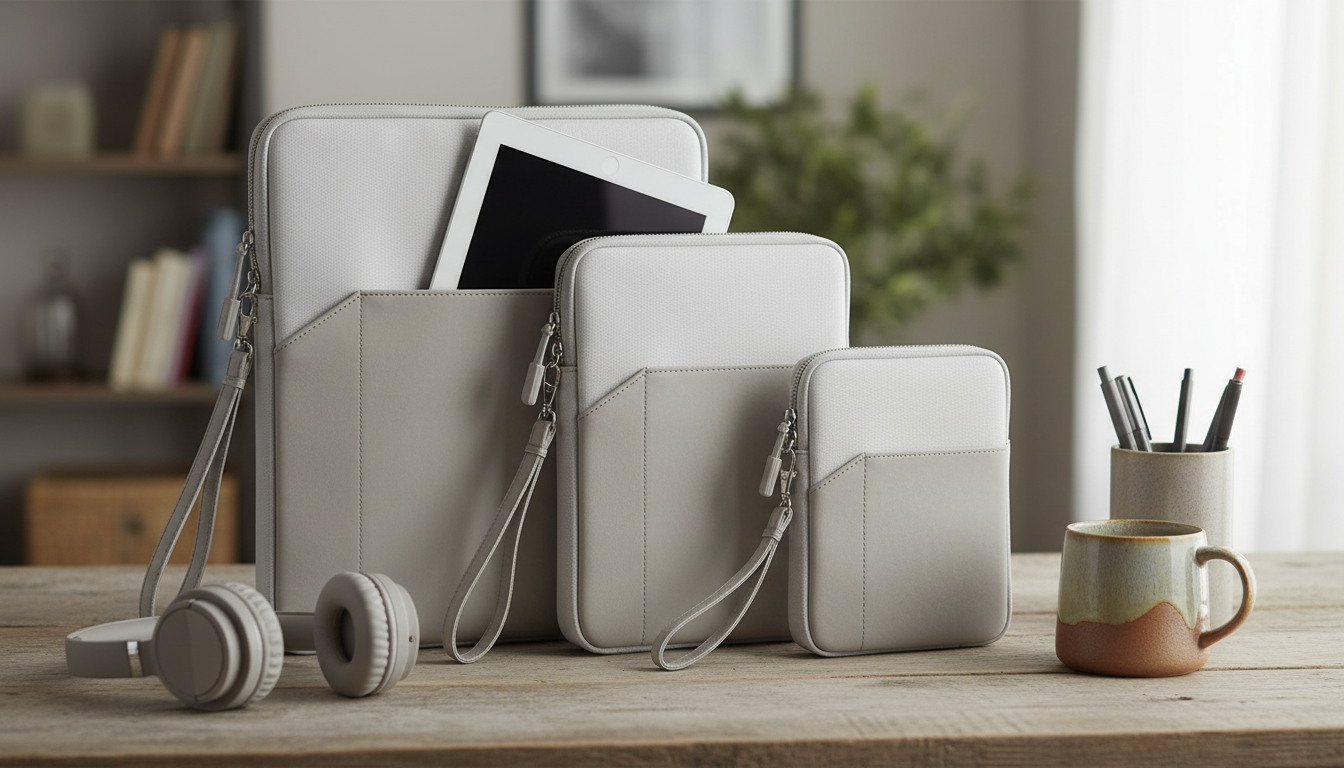
Lightweight Protection for iPad Mini, Air, and Pro
A tablet sleeve should do more than cover a screen—it should cushion corners, resist everyday scuffs, and stay slim enough for backpacks and totes. The Shockproof Tablet Sleeve Bag for Apple iPad Mini, Air, Pro is built for users who want a simple, low-bulk way to protect an iPad during commutes, travel days, school, and at-home storage. Instead of relying on a heavy case alone, a shock-absorbing sleeve adds a protective buffer against the bumps and pressure that happen between where you use your iPad and where you carry it.
What this sleeve is made to protect against
Most iPad damage doesn’t happen while you’re using it—it happens while moving it. A shockproof sleeve is designed to reduce exposure to common, everyday hazards:
- Bumps and short drops during transfers (desk to bag, car to office, airport security trays).
- Pressure and rubbing inside backpacks alongside chargers, books, and water bottles.
- Corner impacts, which are a frequent source of dents when a device slips.
- Minor splashes and surface grime picked up on public transit, coffee shops, and shared workspaces.
- Scratches on the display and back when stored near keys or sharp-edged accessories.
If an iPad is used across multiple locations in a day—work, school, studio, client sites—this kind of protection helps keep it looking clean and functioning as expected without turning your carry setup into a brick.
Key design features that matter day to day
Protection is only useful if it’s convenient enough to use every time. The practical benefits of a sleeve-style bag come from features that reduce friction in daily routines:
- Shock-absorbing construction intended to soften impact and reduce vibration during movement.
- Compact sleeve profile that packs easily without adding noticeable bulk.
- Soft inner surface to help reduce micro-scratches from repeated in-and-out use.
- Protective outer layer designed to handle daily friction against other items in a bag.
- Zippered closure to keep the tablet from sliding out and to help keep dust away from ports.
A zipper matters more than many people expect: if you frequently carry your iPad one-handed (and your coffee in the other), a fully closed sleeve prevents those small “almost dropped it” moments from becoming expensive.
Compatibility and sizing checklist for iPad Air and iPad Pro
“iPad Pro” isn’t one size. Neither is “iPad Air.” Before ordering a sleeve, confirm the exact model and size to avoid tight corners, zipper strain, or extra internal movement.
- Confirm your exact iPad model and screen size (Mini vs Air vs Pro; Pro comes in multiple sizes).
- Measure your device if you use a hard shell case—cases can add several millimeters to thickness and width.
- If you carry an Apple Pencil, allow extra room so the sleeve closes without pressure along the screen edge.
- If you use a keyboard case, consider stepping up in sleeve size to avoid tight corners and zipper stress.
- Aim for a secure fit: too loose can allow sliding; too tight can press buttons and wear zipper tracks faster.
Quick fit guide before ordering
| What to check | Why it matters | Tip |
|---|---|---|
| Model name (Mini/Air/Pro) and year | Different generations vary in dimensions | Check Settings > General > About |
| Screen size (e.g., 11-inch vs 12.9-inch) | Pro sizes are not interchangeable | Match sleeve size to screen size |
| Case thickness | Bulky cases can prevent full closure | Measure thickness at the thickest edge |
| Apple Pencil storage | Pencil can create pressure points | Look for enough clearance near the top edge |
| Accessory carry (cable/charger) | Overstuffing reduces protection | Use a separate pouch for power bricks |
For model identification and exact measurements, Apple’s official references are the safest place to verify details: Apple Support: Identify your iPad model, plus the technical specifications for iPad Air and iPad Pro.
How to use a shockproof sleeve for better protection
A sleeve performs best when it’s packed thoughtfully. Small habits can make the padding more effective and reduce wear on both the tablet and the bag.
- Insert the iPad screen-facing inward against the soft lining to minimize rubbing.
- Avoid overpacking; leaving a small buffer helps the padding work as intended.
- Place the sleeve in the center of a backpack, not against bottom corners where impacts concentrate.
- Keep liquids separate by using a different compartment for bottles and toiletries.
- Close the zipper fully before moving so the tablet can’t slide out.
Care and maintenance for long-lasting use
Pairing suggestions for an Apple-focused carry setup
- Keep heavy items (power banks, metal adapters) in a separate pocket to reduce pressure on the tablet surface.
- For faster airport or venue checks, store the sleeve in an easy-access compartment rather than the deepest part of a bag.
- For a softer, casual look, pair your daily carry with the Corduroy Fabric Strap for Apple Watch.
- For a more classic finish, the Premium Leather Strap for Apple Watch complements office-ready gear while keeping your kit minimal.
FAQ
Will this fit an iPad Air or iPad Pro with a case on?
It depends on your exact iPad size and how much thickness the case adds. Measure your iPad with the case installed and choose a sleeve size that leaves a small amount of clearance so the zipper closes smoothly without pressing on the tablet’s edges.
Can an Apple Pencil be stored in the sleeve too?
An Apple Pencil can fit if the sleeve has enough internal room and you place it so it doesn’t press against the screen edge. Avoid overstuffing, since extra pressure can reduce the benefit of shock-absorbing padding.
How should the sleeve be cleaned?
Spot-clean with a damp cloth and mild soap if needed, then air-dry fully before putting your iPad back inside. Avoid machine washing and harsh chemicals, which can affect padding and zipper performance over time.














Leave a comment