Slim PU Leather Sleeve for MacBook Air/Pro (Daily Carry)
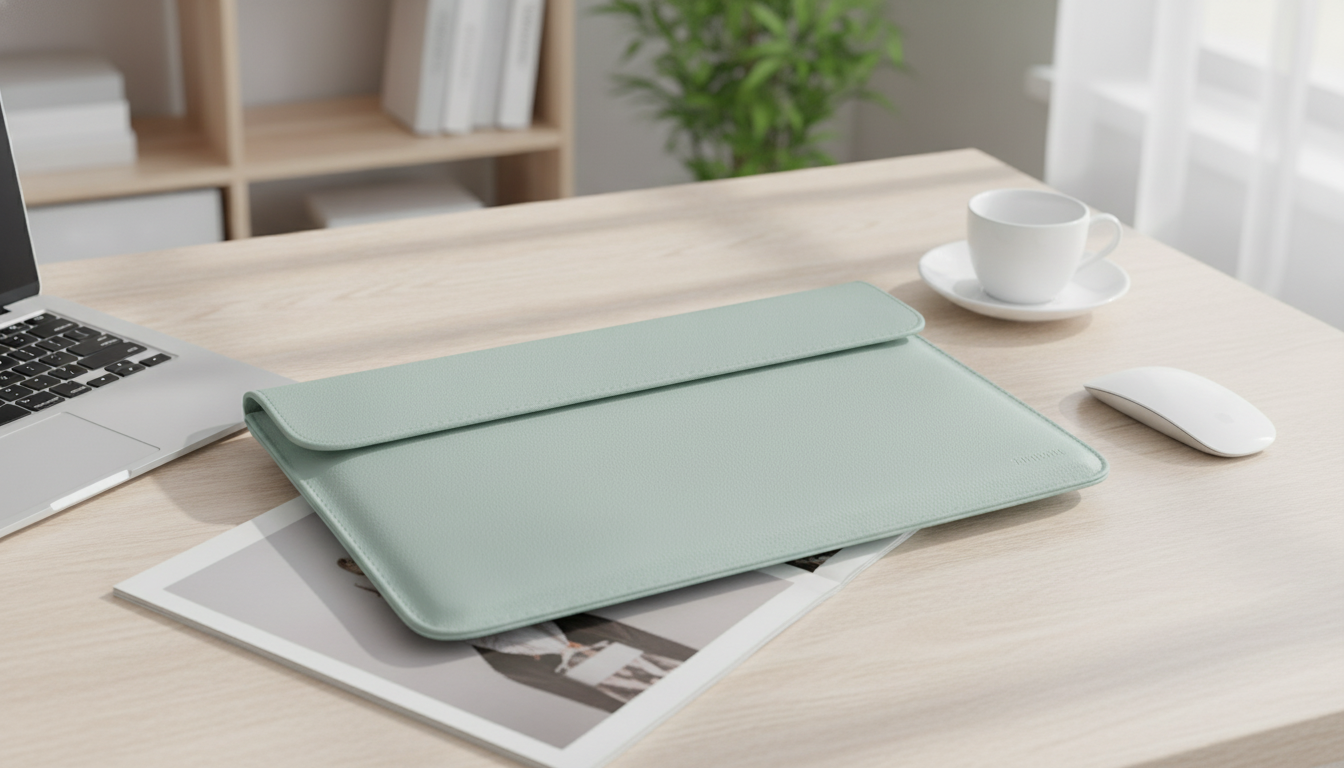
Everyday Laptop Protection That Still Looks Sharp
A slim sleeve can be the difference between a laptop that stays pristine and one that slowly picks up scratches from commuting, class, or back-to-back meetings. A PU leather sleeve bag offers a clean, professional finish while adding a practical layer of protection for MacBook Air, MacBook Pro, and similarly sized Apple devices—whether you carry it by hand or slide it into a backpack.
What This Sleeve Is Made For
- Fits the daily routine: commute, classes, meetings, travel days, and coffee-shop work sessions
- Designed to protect Apple laptops and similarly sized devices from scuffs and light bumps
- A minimal, professional style that works with business, casual, and school setups
- Slim profile to reduce bulk when placed inside a backpack or tote
If your laptop usually rides alongside notebooks, a water bottle, or a tech pouch, a sleeve helps reduce the small abrasions that happen when devices rub against other items. It’s also a good choice for “grab-and-go” moments—moving from desk to conference room without hauling a full laptop bag.
Material and Build: PU Leather Benefits
PU leather (polyurethane leather) is designed to capture the refined look of leather while keeping care simple for everyday use. For people who want a tidy, low-fuss accessory, PU leather is often a practical middle ground between thin fabric sleeves and heavier, padded cases.
- PU leather offers a leather-like look with easy maintenance and wipe-clean convenience
- Helps reduce surface scratches on the device when used as intended
- Structured exterior can add light rigidity compared to thin fabric sleeves
- Cleaner appearance over time compared to materials that easily pill or lint
For day-to-day handling, that structured feel matters: the sleeve holds its shape better when slipping in and out of a backpack, and it tends to look more polished on a meeting table.
Protection Details That Matter Day to Day
- Helps guard against common wear: backpack rub, desk scuffs, and zipper/metal contact from other items
- Best used as a sleeve (not a hard case) for everyday handling and light impacts
- Ideal for keeping devices separated from keys, chargers, and accessories inside larger bags
- Suitable for office-to-home carry when a full laptop bag feels unnecessary
The most common “damage” from daily carry is cosmetic: tiny scratches, rubbed corners, and marks from metal objects. A sleeve helps by creating separation—especially useful when you’re tossing your laptop into a tote for a quick trip. For heavier impacts, pairing a sleeve with a padded backpack (or being extra careful with placement) provides a more complete protection setup.
Size and Compatibility Checklist
MacBook sizing can be deceptively tricky: two laptops can both be called “13-inch,” yet differ slightly by generation and thickness. Before choosing a sleeve, confirm the exact model and dimensions—especially if you use a snap-on hard shell case.
Quick Compatibility Check Before Buying
| Check | Why it matters | What to do |
|---|---|---|
| Laptop model & year | Body dimensions vary by generation | Look up the exact model number in macOS settings or the device underside |
| Screen size (e.g., 13/14/15/16) | Size labels can be misleading without measurements | Match the sleeve size to the device’s actual dimensions |
| Using a snap-on hard case | Adds thickness and can tighten the fit | Allow extra clearance if a case is installed |
| Accessory carry (charger, cable) | Extra items can press on corners and edges | Carry accessories separately or ensure space without forcing the zip/closure |
To find your exact MacBook model, Apple provides clear steps in its support documentation. Refer to Apple Support: Identify your MacBook model and, if needed, confirm details using Apple Support: Find the serial number and other information on your Mac.
Carry Style and When a Sleeve Beats a Laptop Bag
- Sleeves excel for lightweight carry and packing into another bag without adding bulk
- A clean sleeve can transition from desk to meeting room without looking overly casual
- Useful for travel: keep the laptop protected in carry-on luggage and remove quickly at security
- Pair with a small tech pouch for charger/cable organization rather than overstuffing the sleeve
Care and Cleaning
Featured Pick: Premium PU Leather Sleeve Bag
If you want a refined, slim option for daily carry, the Premium PU Leather Sleeve Bag for MacBook Air/Pro and Apple Devices is a straightforward upgrade from thin fabric sleeves. It’s designed for everyday protection against scuffs and light bumps while keeping a clean finish that fits office, school, and travel routines.
Apple Accessory Pairings for a Coordinated Setup
- For a soft, casual rotation, consider the Corduroy Fabric Strap for Apple Watch.
- For a dressier, minimalist look that still feels modern, the Milanese Magnetic Stainless Steel Band for Apple Watch pairs well with a polished sleeve.
- For an easy everyday option that stays classic, the Premium Leather Strap for Apple Watch (49mm/45mm/44mm/41mm/40mm) works across casual and business settings.
FAQ
Will a PU leather sleeve protect a MacBook from drops?
A sleeve mainly helps prevent scratches and minor bumps during everyday carry. For higher drop protection, use a padded laptop bag or a more protective case, and avoid carrying the laptop loosely with other heavy items.
How do I choose the right sleeve size for MacBook Air or MacBook Pro?
Check your exact model/year and compare the laptop’s dimensions to the sleeve’s sizing details. If you use a snap-on hard shell case, allow extra clearance, and avoid forcing a tight fit that puts pressure on corners and edges.
How should PU leather be cleaned and maintained?
Wipe it with a soft, slightly damp cloth and avoid harsh chemicals that can dull the finish. Let it air-dry completely, store it flat to maintain shape, and keep it away from strong heat sources.













Leave a comment