360° Rotating Adjustable Laptop Stand for MacBook Setup
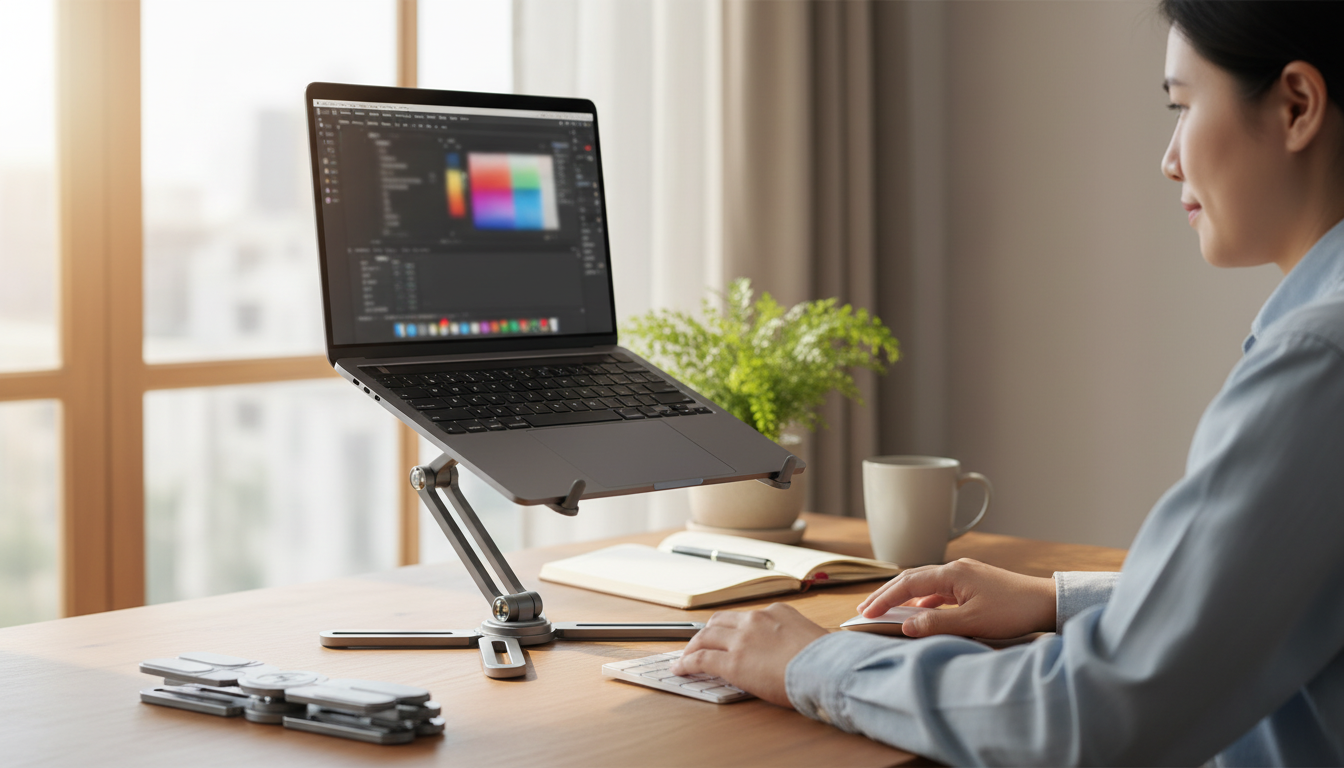
Adjustable Laptop Stand with 360° Rotating Base for MacBook & Apple Devices
A rotating, height-adjustable laptop stand can make a desk feel instantly more comfortable and less cluttered—especially when a MacBook is the center of work, school, and calls. By lifting the display closer to eye level and adding a 360° rotating base, it becomes easier to switch tasks, share your screen, and fine-tune your setup without constantly picking up the computer. Below is a practical guide to choosing a MacBook-friendly stand, setting it up with Apple accessories, and getting the most out of a swivel base in real daily routines.
Why a rotating, adjustable stand changes daily workflow
Small changes in screen height and placement can add up over a long day. Raising the display closer to eye level helps reduce neck and shoulder strain when paired with an external keyboard and mouse/trackpad, a common recommendation in workstation ergonomics guidance like the OSHA Computer Workstations eTool.
The rotating base is equally practical. Instead of twisting the laptop body or dragging the entire setup across the desk, you can swivel the screen toward a teammate, client, or classmate for quick collaboration. Elevation also opens space underneath the laptop, which is ideal for keeping notebooks, a small USB-C hub, or frequently used accessories within reach while maintaining a cleaner work surface.
For Apple-focused desks, flexibility matters: reading on the MacBook, taking a call, then turning to an iPad for notes can happen in a tighter footprint when the laptop is elevated and easy to reposition.
What the 360° rotating base is best for
A 360° rotating base shines in the little moments that would otherwise interrupt focus. During collaboration, you can rotate the display toward another seat without pulling cables or shifting your entire stand. In multi-device setups, swiveling helps align a MacBook with an external monitor or an iPad running Sidecar so the transition between screens feels natural.
Rotation also helps with camera alignment. Even a few degrees of repositioning can improve how the built-in webcam frames you during calls. And in tight spaces, swiveling makes cable routing easier—turn the stand to direct charging and hub cables toward the back or side, rather than reorienting the entire workstation.
Key features to evaluate before buying
Not every stand is equally friendly to MacBook and Apple device setups. Prioritize these essentials:
- Height and angle range: Enough lift to bring the top of the screen near eye level for a typical seated posture.
- Stability: A wide base and non-slip pads help prevent wobble when typing or tapping the trackpad.
- Rotation smoothness: The base should rotate predictably and hold position without drifting.
- Ventilation and heat: An open design generally supports airflow better than a flat, flush surface; Apple also recommends keeping vents unobstructed and using your Mac on hard surfaces when possible (Apple Support guidance).
- Build and surface protection: Padded contact points reduce the chance of scratches and pressure marks.
- Port access and cable routing: Make sure the stand doesn’t block USB-C/Thunderbolt ports and leaves a clean path for power and hub cables.
Quick checklist for MacBook-friendly laptop stands
| Feature | Why it matters for MacBook & Apple devices | What to look for |
|---|---|---|
| Adjustability | Comfortable viewing angle and reduced neck strain | Multiple height positions and tilt control |
| 360° rotation | Easy sharing and alignment with external displays | Smooth swivel that stays put |
| Stability | Prevents wobble during typing and trackpad use | Wide base, solid hinge, anti-slip pads |
| Ventilation | Supports consistent performance under load | Open frame or airflow gaps |
| Device protection | Avoids scratches and dents | Soft silicone/rubber contact pads |
Product spotlight: Adjustable Laptop Stand with 360° Rotating Base
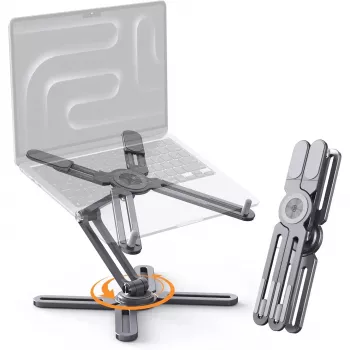
If your desk setup revolves around a MacBook, a stand built for both adjustability and easy repositioning can simplify the day. The Adjustable Laptop Stand with 360° Rotating Base for MacBook & Apple Devices is designed to elevate your laptop, adjust viewing angles, and rotate smoothly so you can share your screen or realign your workstation without lifting the computer.
How to set it up for comfort (MacBook + external input devices)
Ergonomics isn’t only about comfort—it can help reduce the risk of repetitive strain over time. For broader guidance on posture and workstation setup, resources like NIOSH ergonomics information are a helpful reference point.
Use cases for Apple-focused desks
Care, safety, and long-term durability tips
Simple pairing ideas to complete the setup
- Corduroy Fabric Strap for Apple Watch for a more relaxed, lightweight feel during long desk sessions.
- Milanese Magnetic Stainless Steel Band for Apple Watch for an adjustable fit that’s easy to loosen or tighten between meetings.
FAQ
Does a rotating base affect stability while typing?
It can, but stability mostly depends on base width, hinge strength, and non-slip pads. On a firm desk, a well-built rotation mechanism should hold position without drifting, and typing feels steadier when the stand is kept at a stable height/tilt.
Is it better to type on the MacBook keyboard while it’s on a stand?
When the screen is raised, an external keyboard and trackpad/mouse are usually more comfortable because they help keep wrists and elbows in a neutral position. Short typing sessions can be fine at lower stand heights, but higher positions are best treated as “display-only” with external input.
Will using a stand help with MacBook cooling?
Elevating a MacBook can improve airflow underneath and reduce heat buildup from soft or insulating surfaces. It won’t guarantee performance changes, but keeping vents unobstructed and using a hard surface generally supports safe operating temperatures.













Leave a comment