Measure Your Tablet for a Sleeve: Quick Fit Guide
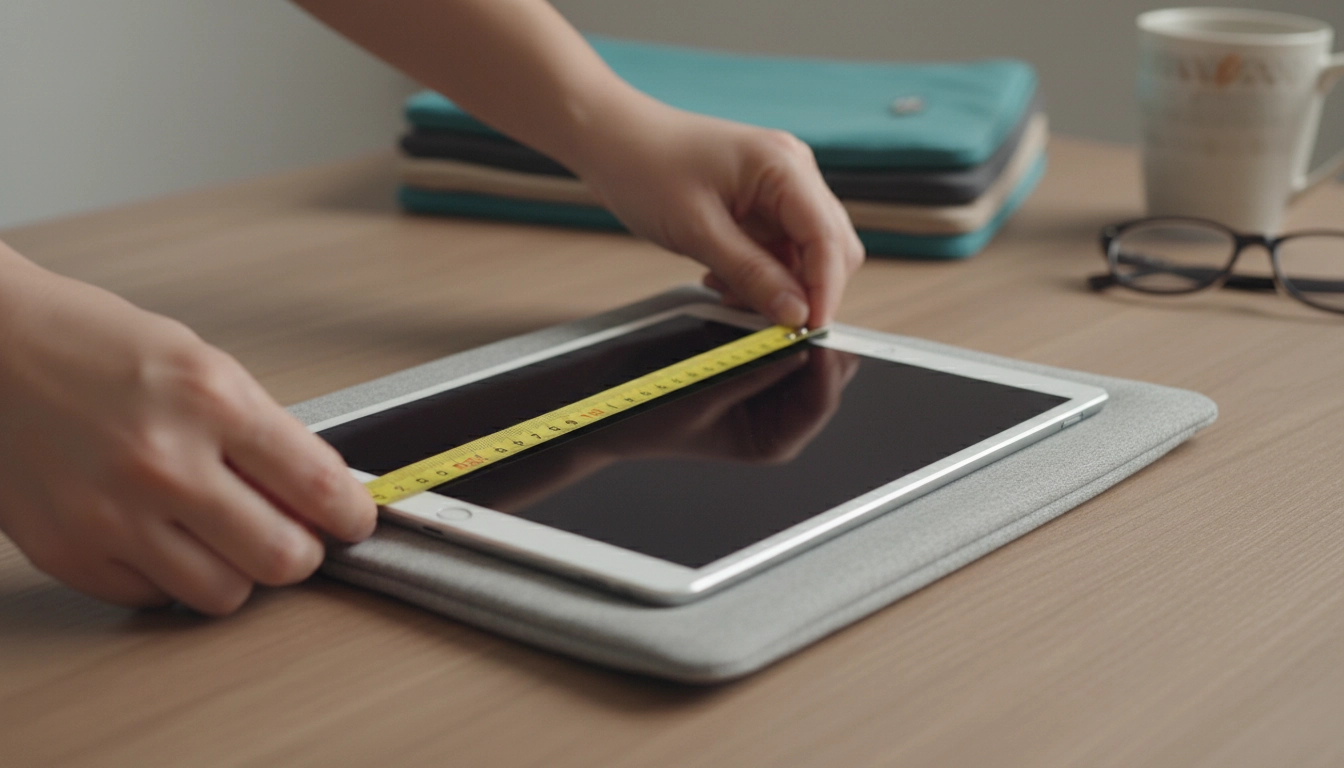
How do you measure your tablet for a sleeve?
To measure your tablet for a sleeve, start with the device itself (not the box), then record its width, height, and thickness. Most sleeves are sized by internal dimensions, so accurate measurements help you avoid a fit that’s too tight (stressing zippers and seams) or too loose (letting the tablet slide around).
What you’ll need
Use a tape measure or ruler and a flat surface. If you use a case, keyboard cover, or bumper, measure the tablet with those accessories on—because that’s the real size you’ll be inserting into the sleeve.
Step-by-step measuring
1) Measure width: Place the tablet face-up. Measure the longest left-to-right distance across the front.
2) Measure height: Measure the longest top-to-bottom distance.
3) Measure thickness: Turn the tablet on its side and measure the deepest point. If your tablet has a camera bump and your case makes that area thicker, use that maximum thickness.
How to choose the right sleeve size
Compare your measurements to the sleeve’s internal dimensions (sometimes labeled “inner size” or “usable space”). Aim for a little breathing room so the tablet slides in smoothly: roughly 1/4–1/2 inch extra in width and height is usually comfortable, while thickness depends on padding—snug is fine as long as you aren’t forcing the zipper closed.
If the product listing only shows external dimensions, look for a size chart or choose a model specifically marketed for your screen size range. For more guidance on picking between common sizes and styles, see this sleeve size guide.
Quick fit checks before you buy
Account for accessories (Apple Pencil/pen loops, folio covers), and note closure type: zippered sleeves need a bit more clearance than open-top designs. If you want to carry a charger or notebook in the same sleeve, choose a version with an accessory pocket rather than sizing up too far.
FAQ
Should I measure my tablet with a case on?
Yes. If you normally keep a case or keyboard cover on your tablet, measure it with those accessories attached so the sleeve fits your everyday carry setup.













Leave a comment