Hidden AirTag Bike Bell: Discreet Anti-Theft Tracker
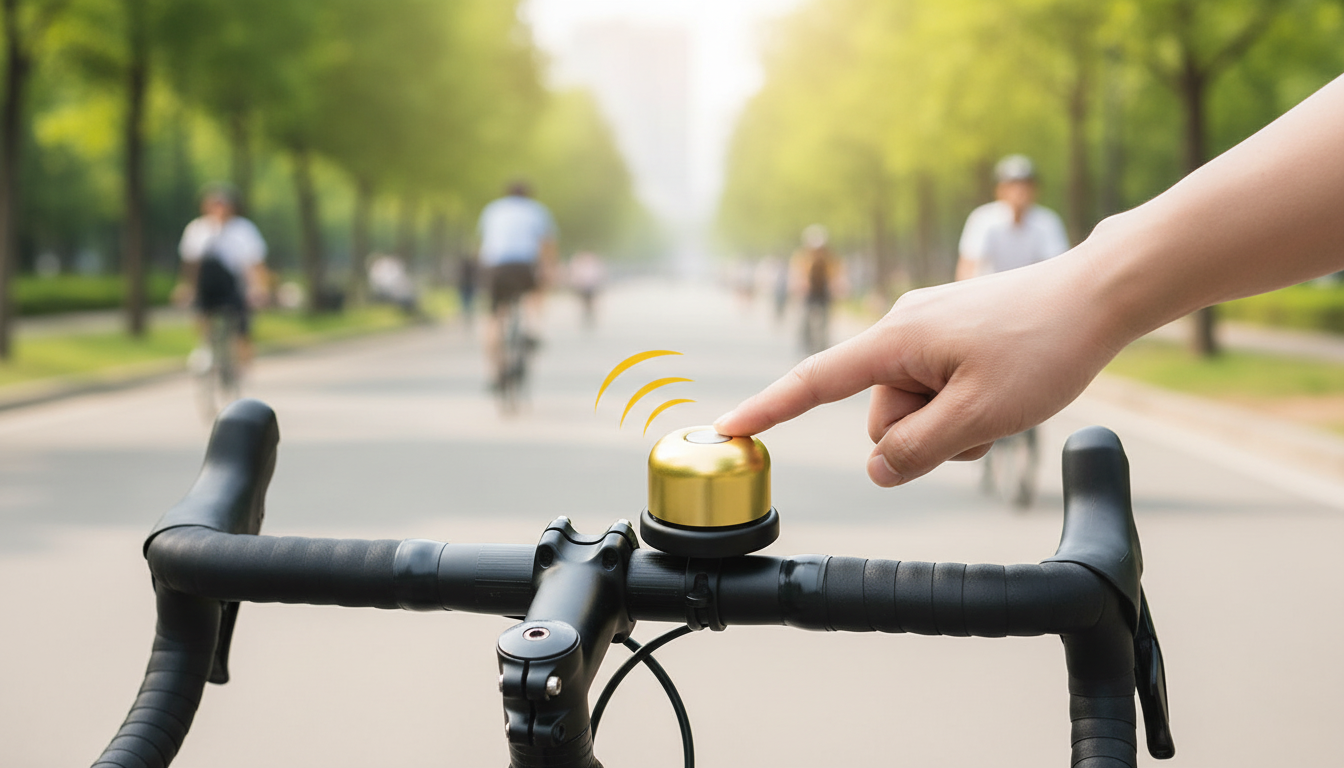
Bike Bell with Hidden Apple AirTag Holder & Anti-Theft GPS Tracking
A bike bell can do more than signal pedestrians. This discreet bell design hides an Apple AirTag inside, helping keep track of a bike’s location through Apple’s Find My network while still functioning as an everyday, easy-to-reach bell on the handlebar. For commuters, campus riders, and anyone who parks in shared racks, it’s a simple way to add smart tracking without advertising that a tracker is present.
What it is and how it works
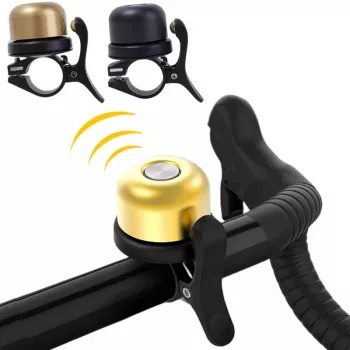
A hidden AirTag bike bell is a handlebar-mounted bell with a concealed compartment sized for an Apple AirTag (AirTag not included). Once the AirTag is inserted and paired to an iPhone, location updates can appear in the Find My app when the AirTag is detected by nearby Apple devices in the Find My network.
Because the tracker lives inside a normal-looking bell, it’s typically less noticeable than an external tracker mount. That discretion matters: if a thief can’t quickly spot and remove the tracker, you have a better chance of seeing meaningful location pings after a bike is moved.
It works best as part of a layered security plan: a strong lock to slow down theft, smart parking habits to reduce risk, and tracking to improve awareness and potential recovery steps if the worst happens.
Why a hidden AirTag bell can deter theft
While no accessory can “theft-proof” a bike, a concealed tracker bell can shift the odds in your favor.
- Reduced visibility: A bell blends in, so the tracker is less likely to be noticed and removed quickly.
- Faster recovery workflow: Location updates can help narrow down where to look and confirm last-known movement.
- Lower friction: There’s no separate tracker bracket to install—your bell and tracker share one tidy spot.
- Ideal for shared parking: Apartment racks, workplaces, campus lots, and public corrals often have enough foot traffic (and phones) to generate more frequent Find My updates.
Installation and setup checklist
Most riders can install a tracker bell in minutes, but a few small details make it more secure and more comfortable to use daily:
- Confirm handlebar space near grips and brake levers so the bell is easy to reach without changing hand position.
- Insert the AirTag into the hidden holder and ensure it sits securely before closing the compartment.
- Pair the AirTag in the Find My app, name it clearly (bike model/color), and enable Lost Mode so contact info can be displayed if found.
- Test the bell sound and confirm the bell remains firmly mounted after a short ride over bumps.
- Re-check tightness after the first few rides, especially on rough roads or trails.
Quick fit and setup guide
| Step | What to do | What to verify |
|---|---|---|
| Mount position | Place on handlebar within thumb reach | Bell doesn’t interfere with shifting/braking |
| AirTag placement | Insert AirTag and close holder | No rattle; holder closes fully |
| Find My setup | Pair, name the item, enable Lost Mode | Location appears in Find My; notifications enabled |
| Security check | Shake-test and short test ride | Bell stays tight; sound remains clear |
Everyday use tips for better tracking results
Tracking is most helpful when it’s set up to alert you quickly and when your bike is parked in places that help the network “see” it.
- Enable notifications: Turn on Find My alerts so unexpected movement is noticed sooner.
- Combine with a quality lock: Tracking helps recovery and situational awareness, but locking helps prevent theft in the first place.
- Know the limits: Find My relies on nearby Apple devices; updates can be less frequent in low-traffic or remote areas.
- Maintain the AirTag: Replace the battery when low and confirm the AirTag remains snug in the holder.
- Park smart: Well-lit, high-traffic areas reduce risk and increase the chance of nearby devices updating location.
For step-by-step details, Apple’s official guidance can help with setup and maintenance: Apple Support — Set up AirTag, Apple — Find My, and Apple Support — AirTag battery replacement.
What to look for in a hidden tracker bell
Not all hidden tracker bells feel the same on the bar or hold up the same over time. A few practical checkpoints make a big difference:
- Secure, snug AirTag fit: A tight fit reduces rattling and makes quick removal harder.
- Durable materials: Daily weather exposure and vibration resistance matter for commuters and trail riders.
- Bell loudness and tone: It should be audible in traffic without requiring an exaggerated hit.
- Handlebar compatibility: Check clamp sizing and how it sits on flat or riser bars.
- Ease of access: Battery replacement should be straightforward without damaging the mount or stripping screws.
Care, maintenance, and practical limitations
Like any handlebar accessory, a tracker bell benefits from quick checkups and realistic expectations.
In-stock picks (easy add-ons)
- Bike Bell with Hidden Apple Airtag Holder & Anti-Theft GPS Tracker $5.67
- Premium leather strap for Apple Watch $4.97
- Corduroy Fabric Strap for Apple Watch $13.01
FAQ
Does the bike bell include an Apple AirTag?
No. The bell is a holder/mount designed to conceal an Apple AirTag, and the AirTag is purchased separately. Insert your AirTag into the compartment, close it securely, then pair it in the Find My app.
Will Find My work everywhere for tracking a stolen bike?
Not everywhere. AirTag updates depend on nearby Apple devices, so coverage is usually stronger in cities and busy areas and weaker in remote locations. Enabling Lost Mode and notifications helps you act sooner when a new location ping appears.
Is a hidden AirTag bell enough to prevent theft?
By itself, no. A hidden tracker can improve awareness and recovery chances, but it doesn’t physically stop theft—use a strong lock, park smart, and treat tracking as one layer of your overall security plan.













Leave a comment