15W 3-in-1 Wireless Charging Stand for iPhone, Watch
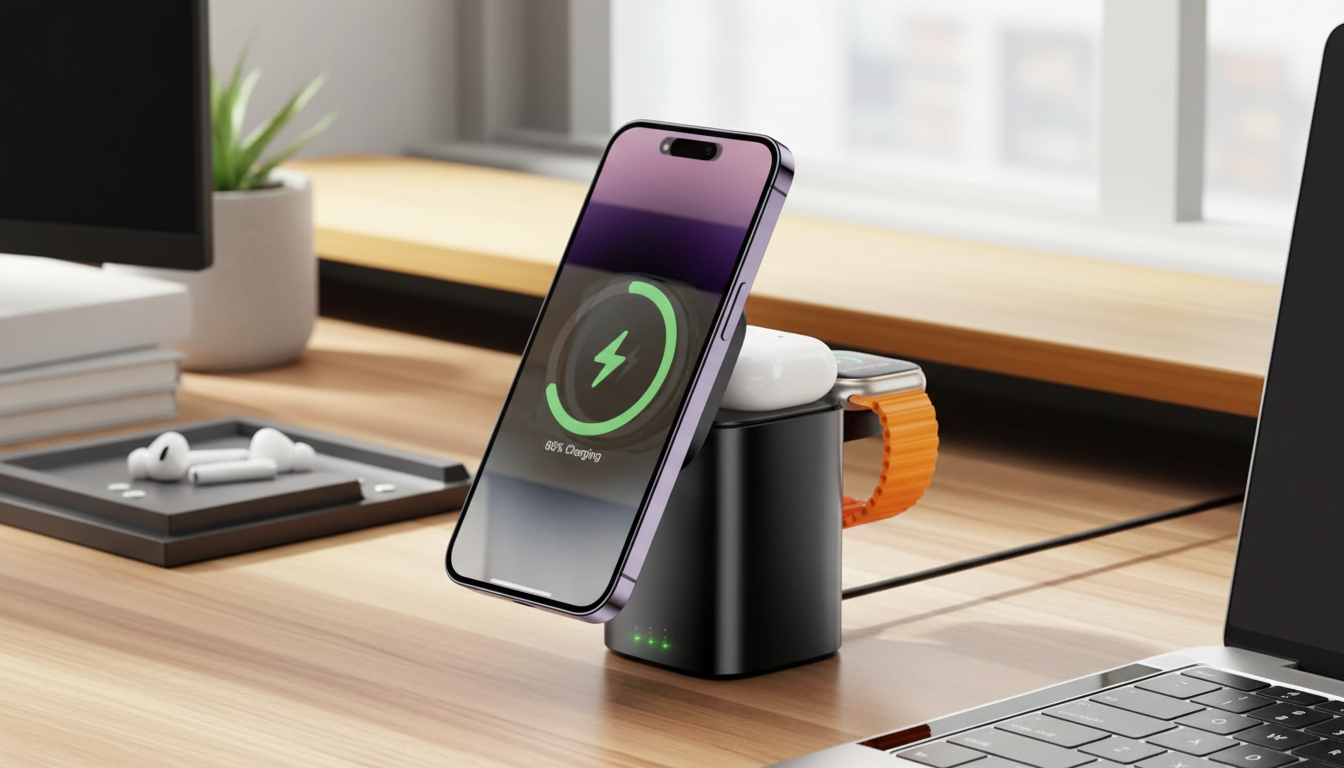
3-in-1 Wireless Charging Station for iPhone, Apple Watch, and AirPods (15W)
A single charging stand can replace a tangle of cables on a nightstand or desk. This 3-in-1 wireless charging station is designed to power an iPhone, Apple Watch, and AirPods together, with fast charging up to 15W for supported phones and dedicated spots for each device.
What This Charging Station Does Well
- Charges three Apple devices at once: iPhone, Apple Watch, and AirPods (or any earbuds/cases that support wireless charging).
- Reduces clutter by consolidating charging into one hub instead of multiple pucks, bricks, and cables.
- Built for simple drop-and-charge alignment, making it a practical option for bedside tables and workspaces.
- Offers up to 15W wireless output for compatible phones (final speed depends on the iPhone model and the power adapter used).
If your daily carry includes all three devices, a dedicated station helps keep everything in a predictable place—less time hunting for a cable, and fewer half-charged mornings.
Best Use Cases (Bedside, Desk, and Travel Corners)
- Nightstand setup: Keeps your phone visible for time/alarms and your watch ready to put on as soon as you wake up.
- Home office: A reliable “landing zone” that keeps devices topped up during video calls and long work sessions.
- Family charging spot: One shared location to place essentials when coming through the door—helpful for keeping counters organized.
- Minimal-space setups: Replaces multiple charging bricks with one station, especially helpful in small apartments or dorm rooms.
Charging Performance and What Affects Speed
- Phone charging: Up to 15W for supported devices and adapters. iPhones may charge at a lower wattage depending on Apple’s wireless charging limits and the charging mode negotiated.
- Apple Watch charging: Uses the watch-specific charging area; charge time varies based on watch generation, battery health, and background activity.
- AirPods charging: Works with wireless-charging compatible cases (Qi). Charging is typically lower wattage than phones and is ideal for steady top-ups.
- Cases and accessories: Thick cases, metal plates, pop sockets with metal, and some magnetic attachments can reduce efficiency or prevent charging altogether.
For the most stable results, pair the station with a quality wall adapter and avoid bulky accessories that push devices out of alignment. Apple also maintains guidance on adapter basics in Apple Support: About USB power adapters.
Quick Compatibility and Setup Checks
| Device | What to check | Common issues to avoid |
|---|---|---|
| iPhone | Wireless charging supported; use a quality power adapter | Very thick cases; metal plates; misalignment |
| Apple Watch | Place on the dedicated watch charging spot | Band buckles pressing against the charger; improper seating |
| AirPods | Case supports wireless charging (Qi-compatible) | Non-wireless case; debris on the charging surface |
When shopping for wireless accessories, it also helps to confirm Qi compatibility using reliable references like the Wireless Power Consortium’s Qi Certified products listings.
Design Details That Matter Day to Day
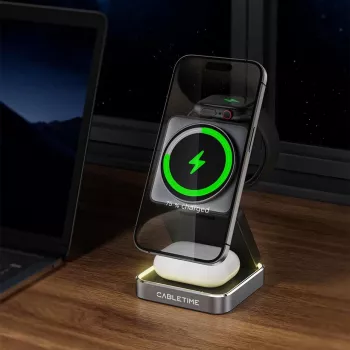
- Dedicated charging zones: Separate areas for phone, watch, and earbuds reduce guesswork and keep devices stable.
- Angled phone positioning: A stand-style angle makes it easier to glance at notifications, time, and incoming calls while charging.
- Simpler cable management: One charging station can streamline cleaning routines and reduce cable wear from constant unplugging.
- Compact footprint: A smaller base fits crowded desks, narrow shelves, and smaller nightstands without feeling bulky.
The biggest everyday benefit is consistency: devices go down the same way each time, and charging becomes an automatic habit rather than a nightly task.
How to Set It Up for Reliable Charging
- Choose a solid power source: Use a reputable wall adapter that can supply sufficient power for multi-device charging. Underpowered adapters can cause slower charging or intermittent stops.
- Place it on a firm surface: Set the station on a flat, non-slip surface with room for airflow around it to help manage heat.
- Align the iPhone: Center the phone on the charging area and confirm the charging indicator on the screen.
- Seat the Apple Watch carefully: Place it flat on the watch spot; adjust the band so it doesn’t push the watch off-center.
- Position the AirPods case: Set the case on the earbuds zone; remove bulky covers if charging is inconsistent.
Once the “sweet spot” is familiar, charging becomes a quick drop-and-go routine—especially helpful during busy mornings and late nights.
Care, Safety, and Longevity Tips
Recommended Add-Ons for an Apple Watch Setup
- Corduroy Fabric Strap for Apple Watch for relaxed comfort and a softer feel during all-day wear.
- Milanese Magnetic Stainless Steel Band for Apple Watch for a clean, adjustable fit that can dress up a daily setup.
- Premium Leather Strap for Apple Watch for a classic look that works well in professional settings.
Featured Charging Station
For a streamlined all-in-one solution, the 3-in-1 15W Wireless Charging Station for Apple iPhone, Watch & AirPods is built to keep your essentials in one place—ideal for nightstands, desks, and shared household charging zones.
FAQ
Will it charge an iPhone, Apple Watch, and AirPods at the same time?
Yes, a true 3-in-1 station is designed for simultaneous charging using dedicated spots for each device. Total charging speed depends on the wall adapter and each device’s charging limits, but all three can charge together when properly seated.
Does a phone case affect wireless charging on a 3-in-1 station?
Thin cases typically work without issues, but very thick cases, metal plates, and some magnetic attachments can interfere with charging. If charging is slow or inconsistent, try removing the case and re-centering the phone.
What power adapter is needed for stable multi-device charging?
Use a quality wall adapter that provides enough power for charging multiple devices at once. An underpowered adapter can lead to slower charging or intermittent charging drops when all three spots are in use.














Leave a comment