Waterproof Laptop Sleeve for MacBook: Slim, Padded Carry
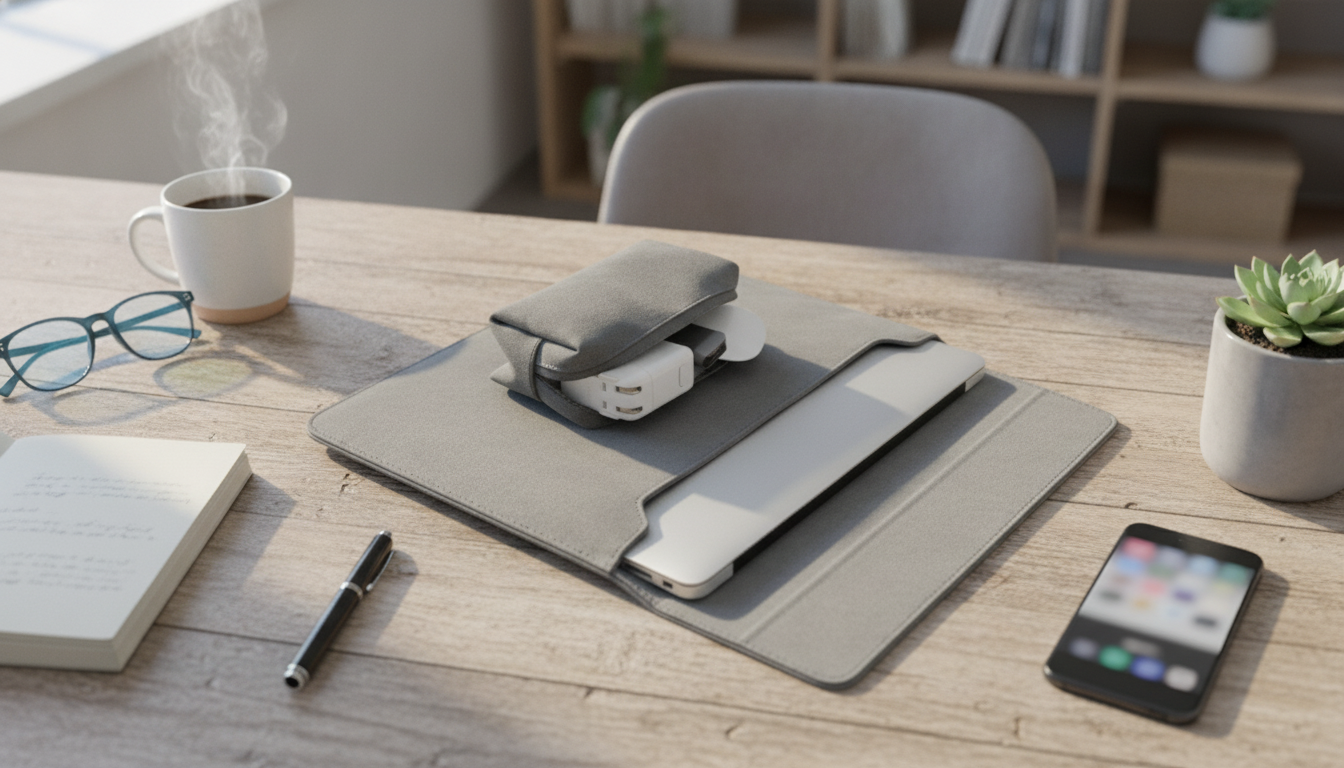
Waterproof Laptop Sleeve Bag for MacBook and Other Laptops: Everyday Protection Without the Bulk
A laptop sleeve should do three things well: keep moisture out, cushion against bumps, and stay easy to carry. The Waterproof Laptop Sleeve Bag for MacBook and Other Laptops is built around those essentials, pairing a water-resistant exterior with padded structure and a streamlined shape that makes sense for commuting, campus, and travel days.
Whether your laptop rides in a backpack, a tote, or under your arm on the way to a meeting, a sleeve helps reduce everyday wear—without committing to a full briefcase-style bag.
What This Sleeve Bag Is Made For
- Daily commutes: quick grab-and-go protection when moving between home, office, and cafés
- Travel days: shields devices from spills, light rain, and scuffs inside a backpack or carry-on
- School and library use: keeps notebooks, chargers, and small accessories organized alongside the laptop
- Minimal carry: works as a standalone sleeve when a full backpack feels unnecessary
If your laptop is often “just tossed” into a larger bag, a dedicated sleeve is one of the simplest ways to add a buffer between your device and everything else you carry—keys, water bottles, notebooks, and chargers.
Protection That Matters: Water Resistance and Impact Cushioning
Real-life laptop damage rarely comes from dramatic accidents; it usually comes from the small stuff—condensation on a café table, a knocked-over bottle in a bag, or a bump on a door frame while rushing out the door.
- Water-resistant outer layer helps protect against splashes, damp surfaces, and light rain exposure during short walks.
- Padded construction reduces the risk of damage from minor drops and knocks during everyday handling.
- Soft interior lining helps prevent scratches on aluminum finishes and glossy laptop surfaces.
- Edge and corner protection matters because corners often take the brunt of impacts in backpacks and under-seat storage.
For MacBook owners who want to double-check model details before measuring, Apple’s reference guide can help confirm which device you have: Apple Support — Identify your MacBook model.
Fit and Compatibility: Getting the Right Size for MacBook and Windows Laptops
Fit is what turns a sleeve from “nice idea” into “everyday habit.” Model names can be misleading across generations, so measuring is the safest approach—especially if your laptop has rubber feet, a snap-on shell, or a skin that adds thickness.
- Measure the laptop’s width, depth, and thickness before choosing a sleeve size; model names alone can be misleading across generations.
- Allow a little clearance for a comfortable slide-in fit, especially if the laptop has a case or rubber feet.
- Check zipper path and opening angle: a wider opening makes it easier to insert larger laptops without scraping edges.
- Consider whether the sleeve should fit inside another bag; slim profiles are ideal for backpack nesting.
Quick Fit Check Before Buying
| What to Check | How to Verify | Why It Helps |
|---|---|---|
| Laptop dimensions | Compare device dimensions to the sleeve’s internal measurements | Avoids overly tight fits that strain zippers and corners |
| Laptop thickness (with case) | Measure with any hard shell or skin installed | Prevents stuck zippers and pressure on the screen |
| Opening width | Look for a wide zipper track and easy access | Reduces scraping and makes packing faster |
| Accessory space | Confirm pocket capacity for charger, mouse, cables | Keeps essentials together without bulking the main compartment |
| Carry style | Decide sleeve-only vs. inside backpack | Ensures the profile matches the daily routine |
Storage and Carry: Pockets, Zippers, and On-the-Go Convenience
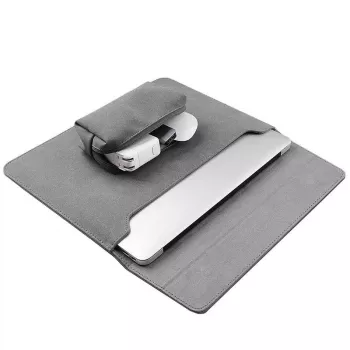
A sleeve becomes more useful when it doesn’t force you to choose between protecting the laptop and bringing essentials. Pocket layout and zipper quality are the small details that add up over time.
For a coordinated daily carry, many people pair a streamlined laptop setup with small wearable upgrades—like the Corduroy Fabric Strap for Apple Watch for a softer, casual look or the Milanese Magnetic Stainless Steel Band for Apple Watch for a more polished finish.
Use Cases: When a Waterproof Sleeve Is the Practical Choice
Care and Maintenance for Long-Lasting Performance
Most sleeves stay looking new longer with quick, simple care—no special tools required. For general textile care guidance (and to understand care labeling basics), the FTC’s overview is a useful reference: Federal Trade Commission — Care Labels.
A Simple Value Check: What You Get at This Price Point
If you want straightforward protection you’ll actually use daily, the Waterproof Laptop Sleeve Bag for MacBook and Other Laptops hits the sweet spot: light enough to carry on its own, protective enough to trust in a crowded commute, and organized enough to reduce “where did I put that cable?” moments.
FAQ
Is a waterproof laptop sleeve fully waterproof or just water-resistant?
Most laptop sleeves are water-resistant rather than fully waterproof, meaning they can handle splashes and light rain but aren’t designed for soaking or submersion. If the sleeve gets wet, dry it promptly and avoid leaving moisture trapped in pockets or seams.
Will this sleeve fit my MacBook if I use a hard shell case?
A hard shell case increases thickness and can make a previously “perfect fit” feel tight. Measure your MacBook with the case on and compare those measurements to the sleeve’s internal dimensions, leaving a little clearance so the zipper closes smoothly.
Can the accessory pocket hold a charger and mouse without stressing the laptop compartment?
It can, as long as the pocket isn’t overstuffed and bulky adapters aren’t pressing into the laptop area. Using slimmer chargers and neatly coiled cables helps keep pressure off the main compartment and reduces the chance of screen stress.













Leave a comment